Comparison
Hybrid apps and when wrapping your web app is enough
By Max Winter-Leinweber9 min read
In short
Hybrid apps are web apps packaged inside a thin native shell, so they install from the App Store and Google Play and can use phone features such as push notifications and the camera. If you already have a web app that works well on a phone, it's the cheapest way into the stores. It's the wrong choice when the product depends on heavy animation, background location or feeling exactly like a native app.
- Written in
- HTML, CSS and JavaScript or TypeScript
- Runs inside
- The phone's own browser engine
- Usual tool
- Capacitor
- Installed from
- App Store and Google Play
- Main risk
- Apple rejecting a repackaged website
What is a hybrid app?
It's an app whose screens are web pages. A small native app, called the shell, opens a full-screen browser view with no address bar and loads your web code into it. To the person holding the phone it looks like any other app: an icon on the home screen, a listing in the store and a prompt asking whether it can send notifications.
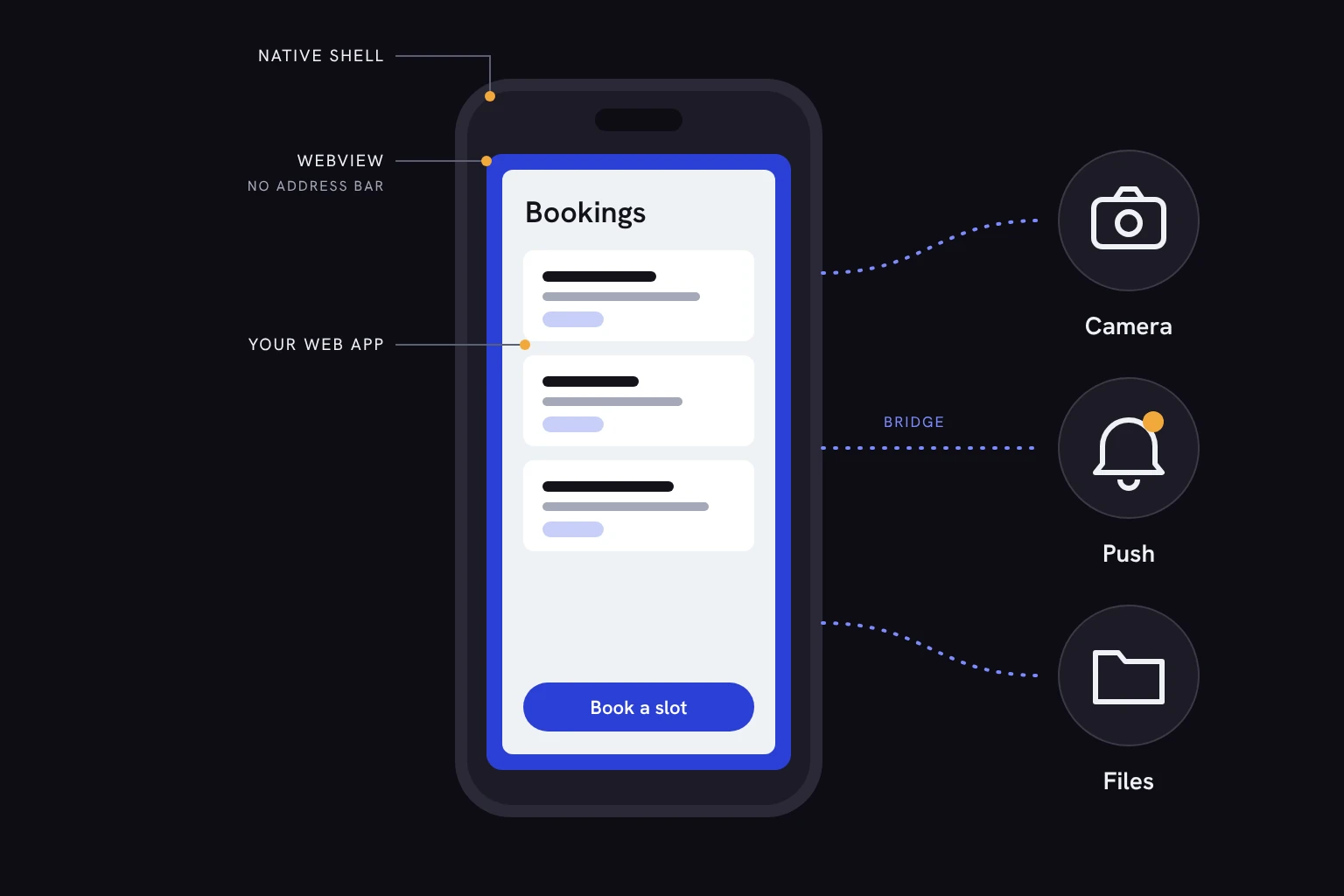
That browser view is a WebView: the engine behind Safari on an iPhone and Chrome on Android, embedded in your app. When the web code needs something a web page can't reach on its own, such as Apple's push service or the photo library, it calls a plugin across a bridge. The plugin runs native code and passes the result back to the page.
Capacitor, from the team behind the Ionic framework, is the tool most new hybrid apps are built with. Apache Cordova is the older tool it grew out of, and many apps built before Capacitor existed still run on it. Neither cares how the web app was made, so a React, Vue or plain JavaScript app is wrapped the same way.
How do hybrid apps differ from native apps, cross-platform apps and PWAs?
What draws the screens is the difference that matters. Native and cross-platform apps draw real app screens, while hybrid apps and PWAs both show web pages. Between those last two, the shell decides it: a hybrid app comes from a store and reaches the phone through native plugins, and a PWA is installed from the browser and only gets what the browser allows.
| Type | Screens drawn by | Written in | How people get it | Code shared with your web app |
|---|---|---|---|---|
| Native | The platform's own interface toolkit | Swift for iOS, Kotlin for Android | App Store and Google Play | None |
| Cross-platform | Native components (React Native) or its own engine (Flutter) | TypeScript or Dart | App Store and Google Play | Types and rules, with React Native |
| Hybrid | A WebView inside a native shell | HTML, CSS and JavaScript or TypeScript | App Store and Google Play | Nearly all of it, screens included |
| PWA | The phone's browser | HTML, CSS and JavaScript or TypeScript | A link, then Add to Home Screen | All of it |
Some agencies use the word loosely and call React Native or Flutter apps hybrid, because one codebase covers iPhone and Android. Those are cross-platform apps, with no web page underneath, so none of your web app's screens carry over. If a quote says hybrid, ask which of the two rows above it means, because the price and the result are very different. Compare React Native and Flutter for a startup app.
When is wrapping your web app enough?
When the web app already does its job well on a phone and what's missing is the store listing, or one or two phone features. The wrapped app is your web app, so the effort goes into the shell and the gaps around it rather than into a second product.
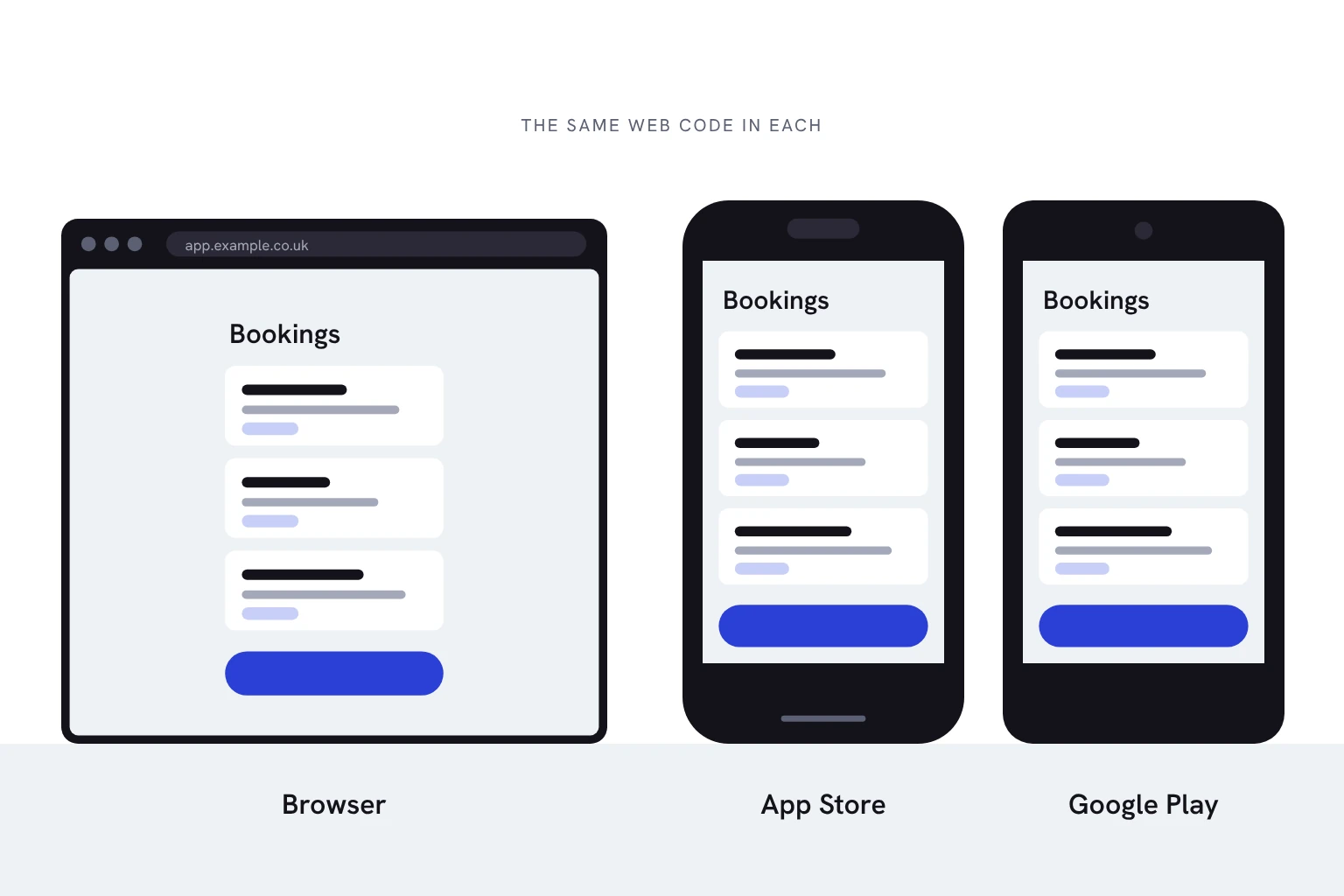
A booking app for a small chain of gyms is a good example. Members expect to find it in the App Store, and the one feature they want from it is a reminder before each class. On an iPhone, web push only reaches people who have added the site to their home screen. A hybrid app sends the reminder through Apple's own push service, so it reaches every member who allows notifications, and the booking screens stay exactly as they are on the web.
It also suits B2B tools sold to companies whose IT teams only roll out apps they can push to staff phones from their device management system, and products whose customers keep asking where to download the app. In both cases the store listing is the requirement, and the web app already does the work.
Wrapping won't fix a web app that's awkward on a small screen. Tables that scroll sideways, menus that open on hover and forms that fight the keyboard are just as awkward inside a shell, and now they collect store reviews. Which screens to design for the phone first.
And it's the wrong tool when the phone itself is the product. Background location, Bluetooth, heavy video, very long lists and interfaces built around animation all strain a WebView, and a hybrid app that feels like a website in a frame tends to be rated lower than the website ever was. Find your row in the web app or mobile app first table.
Will Apple accept a wrapped web app?
Only if it does more than the website. Apple's review guideline 4.2, on minimum functionality, expects an app to offer more than a repackaged website, and a shell that simply loads your site is a familiar reason for rejection. Google Play is more relaxed, and it also takes a PWA packaged as a Trusted Web Activity, with no shell at all. How to turn a website into an app without a store.
So give the shell a job the website can't do, somewhere a reviewer will meet it within the first minute.
Push notifications sent through Apple's service, with permission asked at a moment that makes sense, not on launch.
Signing back in with Face ID or a fingerprint once someone has logged in the first time.
The phone's own share sheet, camera or photo library, wherever the product already shares or uploads.
Screens that still open without a signal, showing the last data loaded rather than an error page.
No step that sends the reviewer off to the website to finish what they started.
What breaks when a web app moves into a shell?
Sign-in, payments and links break most often, because each one assumes an ordinary browser tab. The fixes are well known, but they need making before the first submission, not after the first rejection.
| Area | What goes wrong in the shell | The usual fix |
|---|---|---|
| Google sign-in | Google refuses to show its sign-in page inside an embedded WebView | Open sign-in in the system browser and return to the app through a deep link |
| Other social sign-in | Apple expects an equivalent privacy-focused option when an app offers Google or Facebook sign-in | Add Sign in with Apple alongside them, or keep to email sign-in |
| Payments | Digital goods and subscriptions sold inside an iPhone app normally have to use Apple's in-app purchase | Check Apple's current rules for your country; physical goods and real-world services can keep using Stripe |
| Links out | External links open inside the app, with no way back | Open them in the system browser or an in-app browser sheet |
| Server rendering | Server components, server actions and API routes can't be packed into the app | Export the screens as static files and call your hosted server as an API |
| Notch and keyboard | Content hides behind the notch, or under the keyboard when a field is focused | Safe area insets in the CSS, then a test on a real phone |
| Android back | The back gesture closes the app instead of going back a screen | Listen for the back event and follow the app's own navigation |
The server rendering row catches out founders whose web app runs on Next.js. The copy in the store needs a folder of files it can open on its own, so anything that runs on your server stays there and the app talks to it over HTTPS, the same way a React Native app would if you built one later.
How do updates reach a hybrid app?
Through the stores, like any other app, unless you add a live update service. A change to the shell or its plugins always needs a new store release. A change to the web code bundled inside can be downloaded by the app directly, which Apple's developer agreement allows for interpreted code as long as the update doesn't change what the app is for. Use that for fixes, and send new features through review so the listing and the app agree.
Either way, older versions stay on people's phones for months, so your server has to keep answering the version that's already installed. Version support, store accounts and review timing are covered step by step in our mobile app development checklist. The mobile app checks a web build skips.
What does wrapping add to a web build?
Far less than a second app, but more than an afternoon. Setting up the shell is usually a day or two of work. The rest is everything around it: the fixes in the table above, icons and splash screens, store listings and screenshots, developer accounts in your company's name, push set-up, testing on real iPhones and Android phones, and at least one round of review.
Much of that list is launch admin rather than code, and it's easy to miss a step until a store asks for it. The free App Launch Checklist asks five questions about your app and builds a launch checklist covering legal, payments, SEO, analytics and the app stores. Build your list with the App Launch Checklist.
We build first releases as web apps that work on any phone, with the business rules on the server. That keeps every route in this post open: wrap it, add a native app, or leave it in the browser until customers ask for more. See what each package includes.
Frequently asked questions
- Can a hybrid app be rebuilt as a native app later?
- Yes, and the backend doesn't change. The screens are rewritten in React Native, Swift or Kotlin, while the API, database and business rules stay where they are. If the web app is written in TypeScript, a React Native rebuild can reuse its types and validation.
- Do you need a Mac to build a hybrid app?
- For the iPhone version, yes, or a cloud build service that runs one for you, because Apple's Xcode only runs on macOS. The Android version can be built on Windows, macOS or Linux.
- Is Capacitor free to use?
- Yes. Capacitor is open source under the MIT licence, and so are its core plugins. Paid options exist for things like cloud builds and live updates, but you don't need them to publish an app.