AI analytics for YouTube creators
Viewlio
Viewlio reads a YouTube video's audience retention curve against the video itself, frame by frame, and explains why viewers left and what to change in the next upload.
Visit viewlio.cc- Built for
- YouTube creators and small creator teams reviewing how each upload performed.
- Our role
- Product, design, full-stack build, AI pipeline and launch
- Stack
- Next.js, Supabase, OpenAI, ffmpeg, React, TypeScript, Postgres, YouTube APIs, Stripe, Cloudflare R2, Tesseract, Recharts, Vercel
The problem
Why Viewlio exists
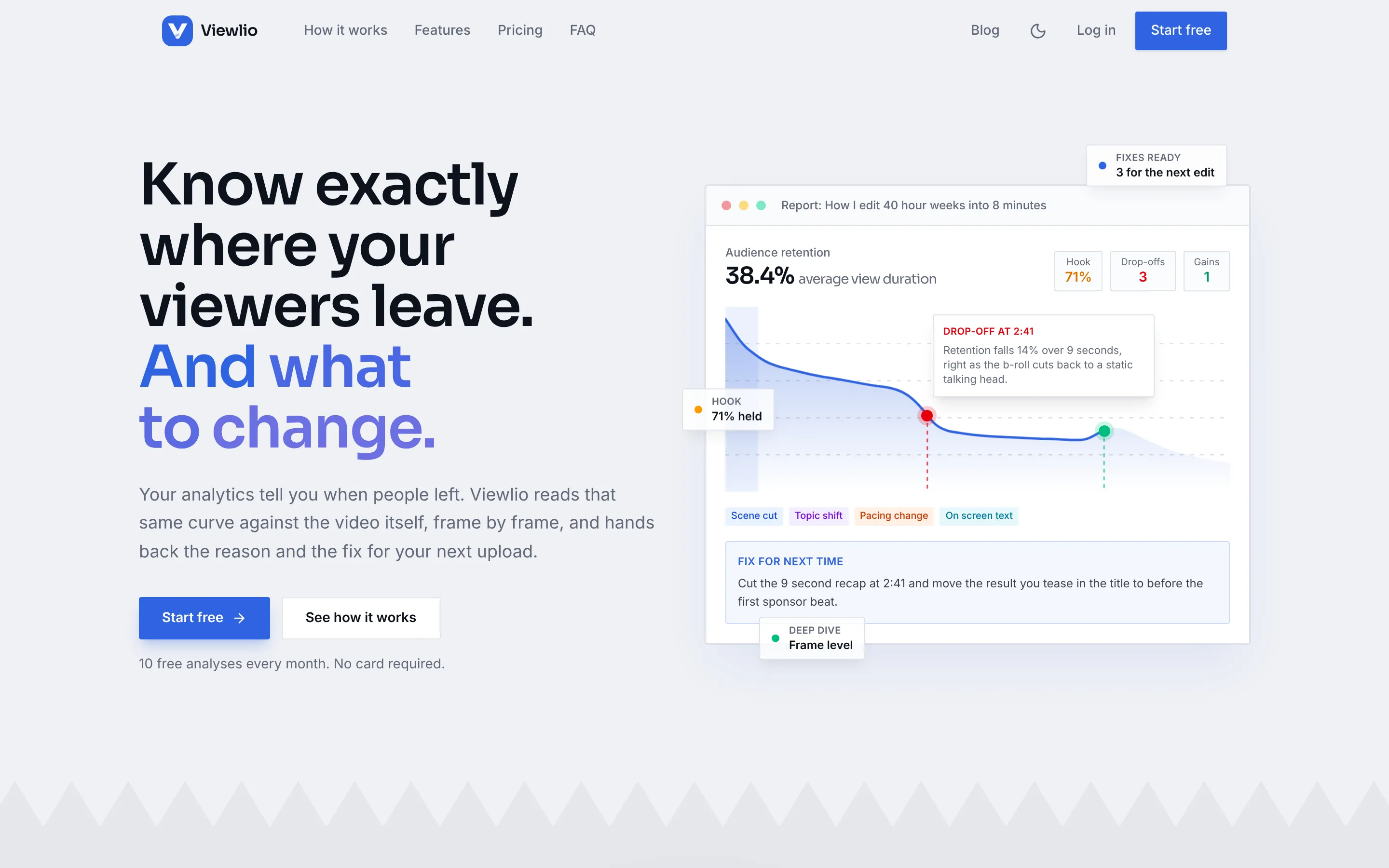
YouTube Studio tells a creator when viewers left: 14% gone at 2:41. It never says why. Creators end up rewatching their own footage to guess the cause, and every video's diagnosis starts from scratch.
Answering why means looking at the video, not just the graph: the cut, the music, the on-screen text and the script at the moment the curve falls. That is slow, fiddly work, and exactly the kind of thing software should do.
The product
What we built
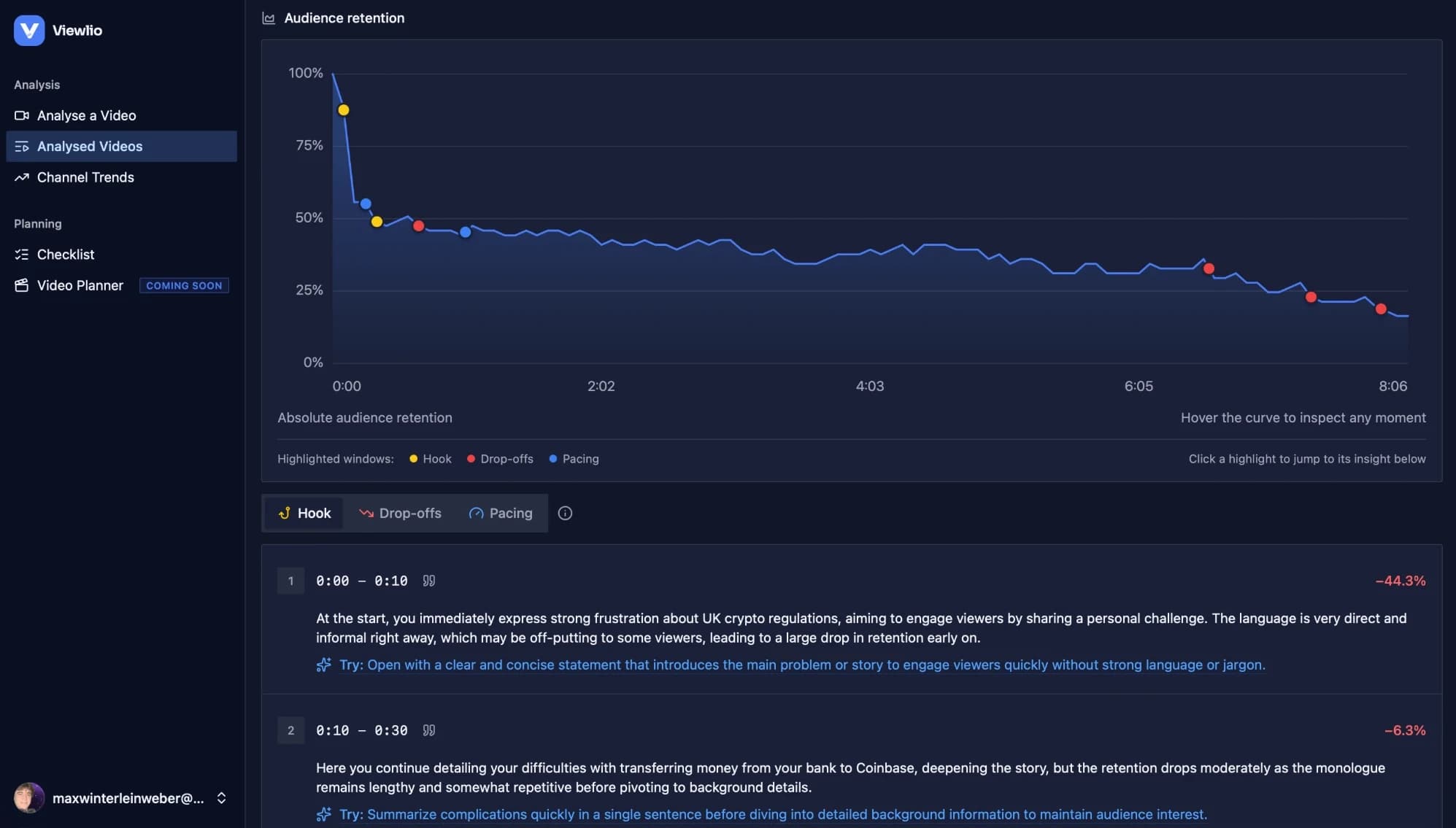
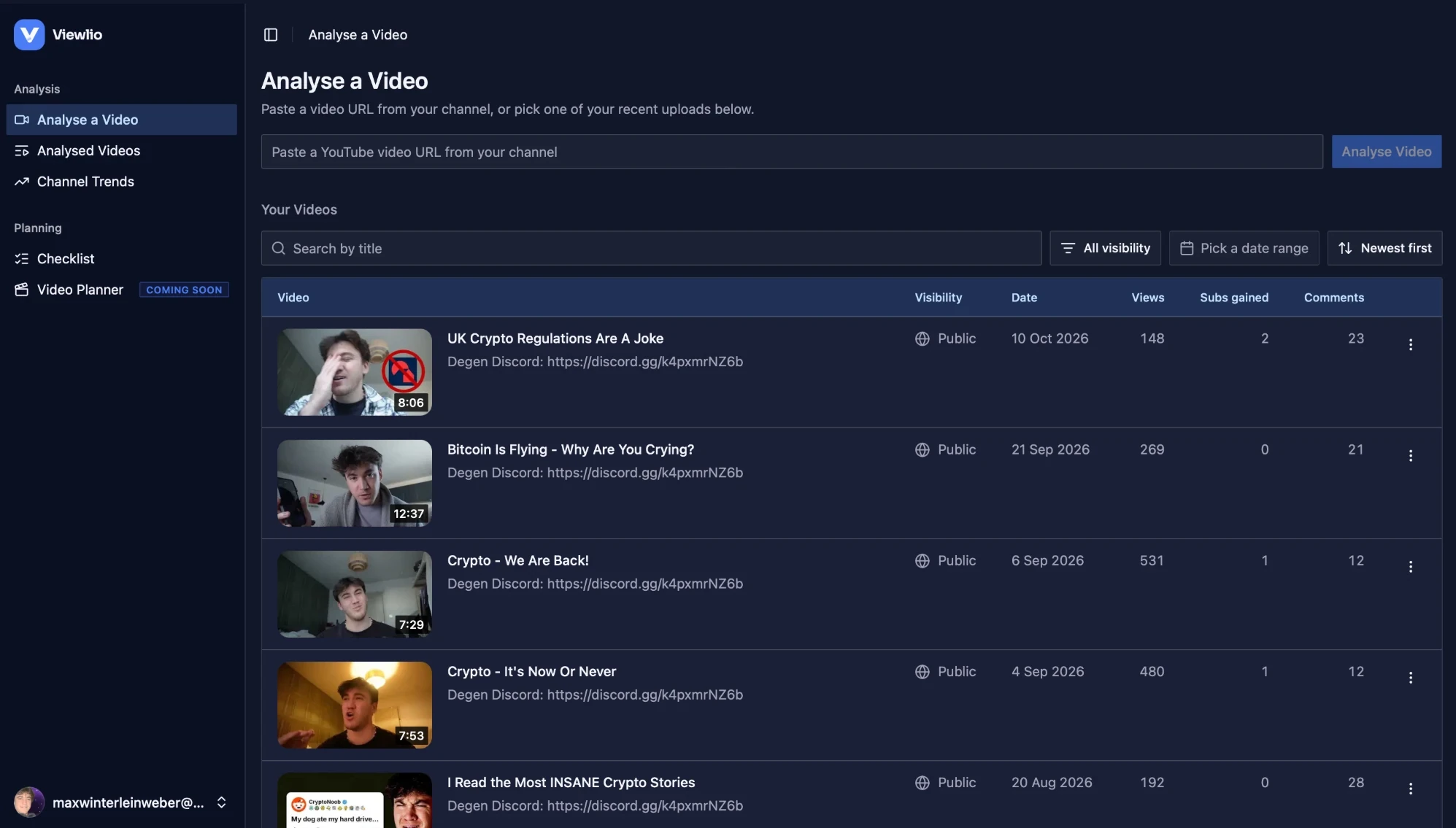
Viewlio connects to a creator's channel with one Google sign-in and turns any video into a report. It walks through the hook, every drop-off steeper than the video's normal decline, the gains and the flat holds, and writes a specific fix for the moments worth changing.
On paid plans, creators upload the source file for a deep dive that reads frames, audio, on-screen text and transcript around each moment and shows that evidence next to every claim. Fixes collect in a checklist the creator keeps open while editing the next video.
Video reports
Every moment that moved retention, found, labelled and explained, with a written fix where one is worth making.
Frame-level deep dives
Scene cuts, visuals, audio, on-screen text and transcript shown as evidence beside each finding.
Channel trends
Patterns across the creator's library: how hooks, titles, thumbnails and scripts line up with retention.
Video comparator
A head-to-head report on two videos' retention, script and packaging.
A checklist for the next edit
Tips saved from any report land in one list that can be reordered and kept open while editing.
Free to start, metered to scale
Ten free analyses a month, then Starter and Pro plans with deep-dive credits charged per minute of footage.
Screens
A closer look
Under the hood
The engineering
Filtering noise before the AI runs
A drop only counts if it falls about 1.8 times steeper than the video's own typical decline, or underperforms similar videos, and small neighbouring dips merge into one moment. The model never gets asked to invent a reason for ordinary decay.
Measured facts, not guesses
ffmpeg detects hard cuts, freeze frames, cuts to black, loudness and silence, and Tesseract reads on-screen text offline. Those measurements go to the vision model as facts, so its explanations are grounded in what is actually on screen.
Long jobs on short-lived servers
A deep dive can run longer than a serverless function is allowed to. Each pass hands off to a fresh one when time runs short, leases stop two passes working on the same video, and a pg_cron watchdog restarts stalled analyses, so a report finishes even after the creator closes the tab.
Multi-gigabyte uploads
Browsers upload source files straight to Cloudflare R2 in multipart chunks. Each upload is transcoded to a lightweight proxy, the original is deleted once the proxy exists, and ffmpeg seeks straight to each moment over a signed URL instead of downloading the whole file.
Billing and cost control
Stripe webhooks keep subscriptions in sync and credits are metered per minute of footage. Every model call's cost is logged, and an admin panel edits prompts with version history.
- Next.js
- Supabase
- OpenAI
- ffmpeg
- React
- TypeScript
- Postgres
- YouTube APIs
- Stripe
- Cloudflare R2
- Tesseract
- Recharts
- Vercel