Migration guide · Internal tool builders
FileMaker to web app migration, table by table
By Max Winter-Leinweber8 min read
In short
A FileMaker to web app migration is a rebuild: layouts and scripts stay behind, while tables, records and files come across through ODBC, the Data API or exports. Start from the Database Design Report, which documents every table, field, script and privilege set in the file. A focused solution of a few dozen tables typically takes six to twelve weeks, and FileMaker can keep running until the last department switches over.
- Code export
- None, layouts and scripts are rebuilt
- Data export
- ODBC, OData, the Data API or CSV
- Your specification
- Database Design Report or XML copy
- Typical timeline
- 6 to 12 weeks
Why move a FileMaker solution to the web?
Usually because the system has to reach people FileMaker serves poorly: customers in a browser, staff on Android phones, or more users than the licence was bought for. The other common trigger is quieter. The one developer who understands the file is about to retire.
WebDirect puts FileMaker layouts in a browser without a rewrite, but Claris generally supports up to about 100 connections per server machine, each browser tab uses its own connection, and layouts drawn for a desktop rarely work on a phone.
FileMaker Go runs on iPhone and iPad only, so Android users and customers who won't install an app are left out.
FileMaker is mostly licensed per user, which suits a fixed team of staff and gets expensive once suppliers or customers need a login.
Modern services expect REST APIs and webhooks. FileMaker can talk to them, often through plug-ins and scripted workarounds that only their author can maintain.
Start with the Database Design Report
Before anyone designs a schema, produce a Database Design Report from FileMaker Pro. It documents every table, field and calculation, the relationship graph, layouts, scripts, value lists and privilege sets, which makes it the closest thing a FileMaker solution has to source code. Save a Copy as XML gives the same detail in a form a script or a coding agent can read.
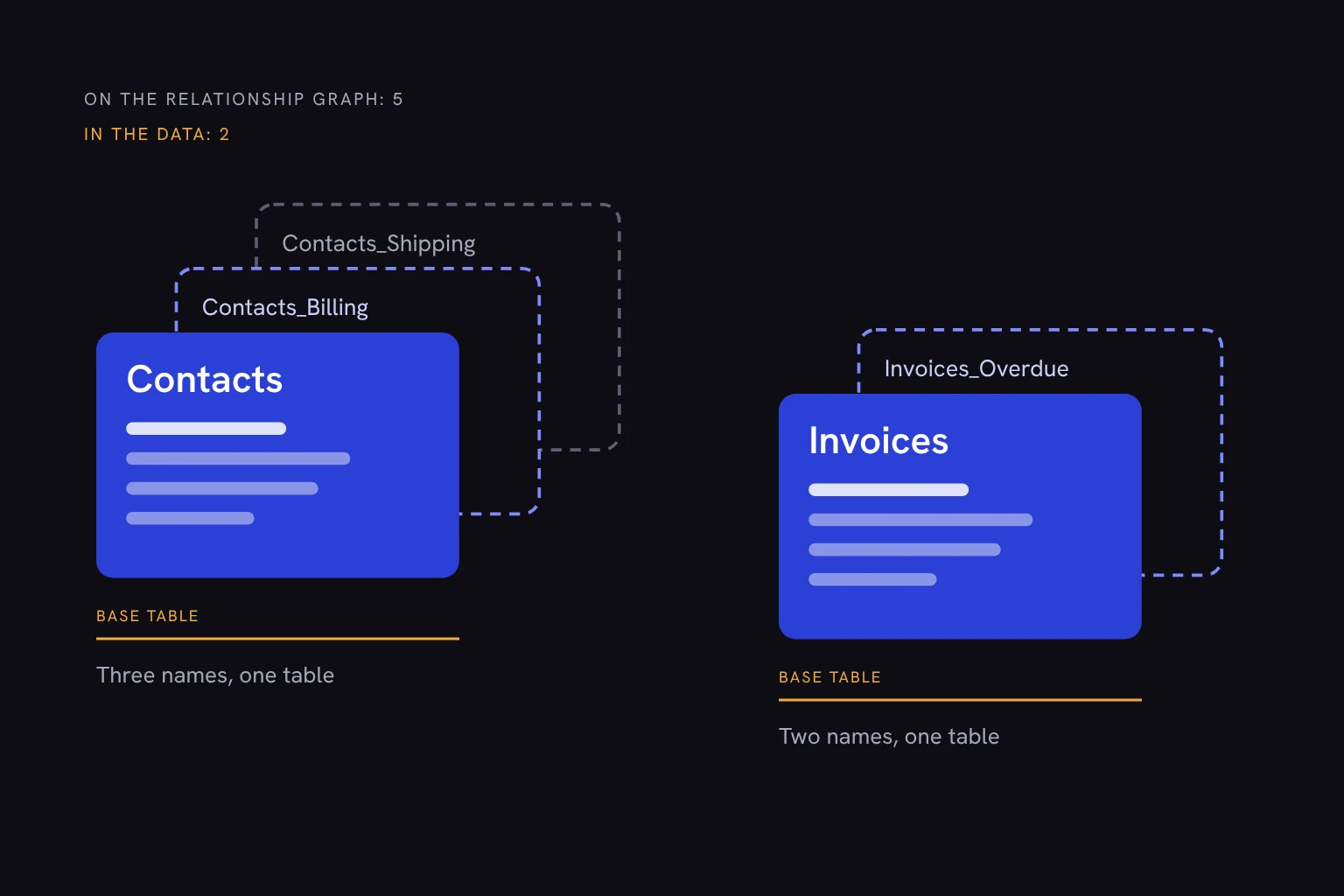
Then find out what people actually use. A solution that has grown for fifteen years carries layouts, scripts and fields nobody has opened in a long time. Go through them with the people who use the system and mark each one keep, merge or drop. The cheapest feature to migrate is the one you leave behind.
FileMaker fields, scripts and layouts in a web stack
Plain fields become typed Postgres columns with little thought. The effort sits in calculations, scripts and printed layouts, because each one holds business rules that were never written down anywhere else.
| FileMaker | What it does | In a web app |
|---|---|---|
| Base tables and fields | Text, number, date, time, timestamp and container fields | Postgres tables with typed columns and constraints |
| Key fields | Serial numbers or Get(UUID) values that link records | A primary key, keeping the FileMaker value for links and reruns |
| Auto-enter options | Default values, serials and creation or modification stamps | Column defaults, identity columns and triggers |
| Field validation | Rules checked when a record is committed | Database constraints plus checks on the server |
| Calculation fields | Stored or unstored values derived from other fields | Generated columns, views or server code |
| Summary fields | Totals and counts across a found set | Aggregate queries and report views |
| Repeating fields | Several values held in one field | A child table with one row per value |
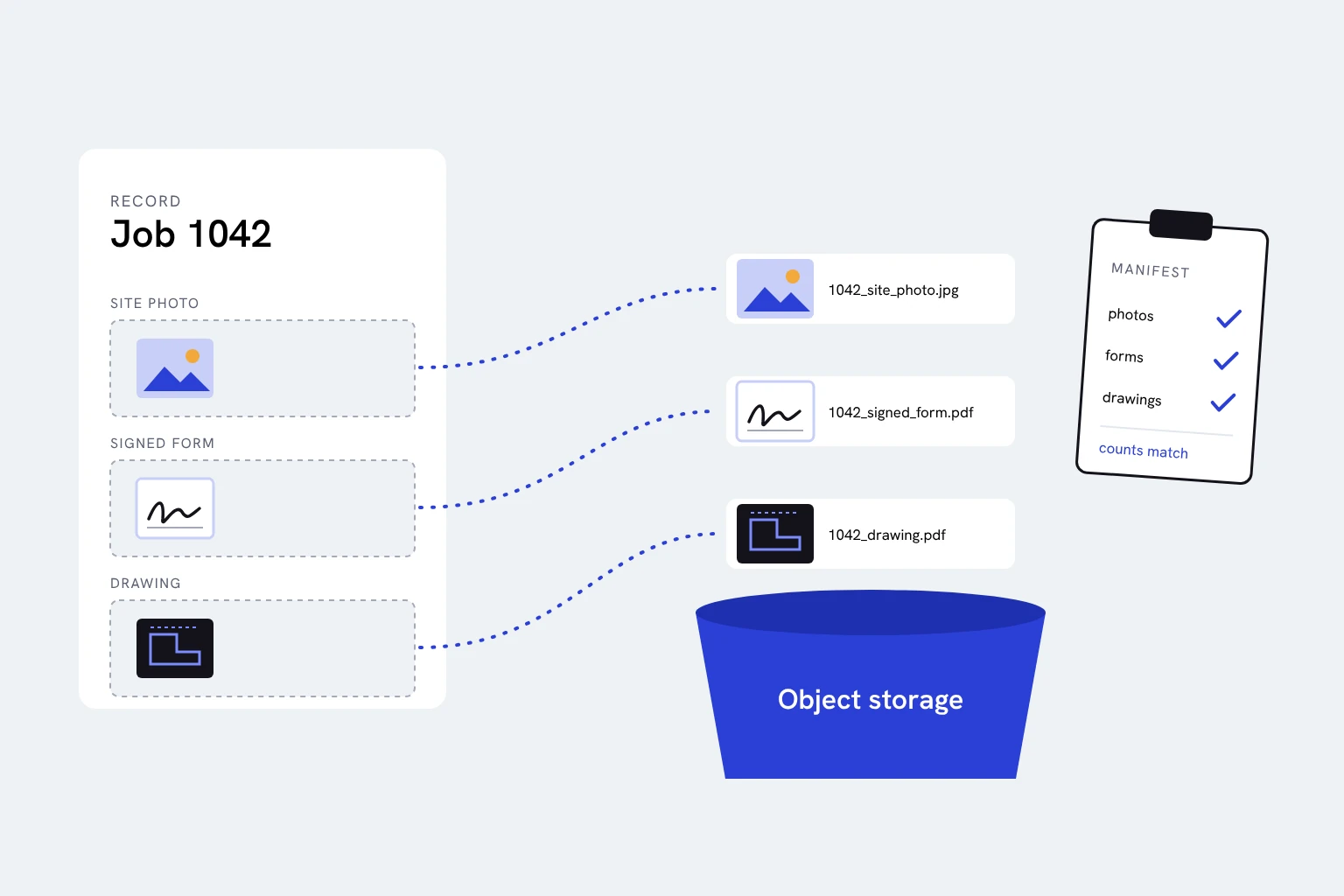
| Container fields | Files and images stored in the file or as external files | A files table pointing at object storage |
| Relationships and portals | Related records shown inside a layout | Foreign keys and related lists on a page |
| Value lists | Fixed or field-based choices | Lookup tables or check constraints |
| Scripts and script triggers | Automation run by buttons, events and schedules | Server functions, event handlers and scheduled jobs |
| Layouts | Screens, forms, lists and printable reports | Pages and components, plus PDF templates for printing |
| Privilege sets and accounts | Who can view, edit and delete which records and fields | Roles with server-side authorisation and row level security |
| Plug-ins | Extra functions from third parties | npm packages or direct API calls |
Unstored calculations deserve the closest look. FileMaker works them out whenever a layout shows them, and many hold pricing, status or due-date rules. Turn each into a query, view or function, then compare its result with FileMaker's for a sample of real records before trusting it.
Printing matters more in FileMaker businesses than almost anywhere else. Invoices, delivery notes and labels laid out to the millimetre on a layout need rebuilding as PDF templates, so collect a printed copy of every report people rely on.
Getting records and container files out
Read records through ODBC, OData or the Data API, and treat container fields as a separate job. All three work against the hosted file, so the export can be scripted and rerun as often as you need.
ODBC and JDBC. Turn on extended access for a privilege set and read tables with SQL. This is the most direct route for a bulk copy of plain fields.
OData and the Data API. REST interfaces on FileMaker Server and FileMaker Cloud. Claris licences include an allowance for outbound data through them, so check yours before pulling every record and file.
Exports from FileMaker Pro. CSV and Excel exports suit small tables and spot checks, but they handle repeating fields awkwardly and leave container contents behind.
Container fields are the part teams forget until cutover week. Files stored inside the database come out through a script using Export Field Contents, or by downloading the URL the Data API returns for each container. Files in secure external storage are encrypted on disk, so copy them through FileMaker rather than from the server's folders. Name each file after its record's key and field, and keep a manifest to check the counts against.
Expect old records to need cleaning: text in number fields, dates typed two ways and child records whose parents were deleted years ago. A database with constraints rejects all of them, so find them on the first rehearsal while there is still time to decide what to keep. How loose field types map to Postgres columns
Moving one department at a time
FileMaker can keep running while the web app takes over in stages. Move one area of the business at a time, such as quoting before jobs and jobs before invoicing, and agree which system owns each table at every stage.
While both are live, the side that does not own a table reads it from the other. The web app reads FileMaker through the Data API, and FileMaker scripts call the web app's API with Insert from URL. Only the owner writes.
Ready to switch a department over
Every printed report has a PDF version that the people who print it have signed off
Calculated totals match FileMaker for a sample of real records
Each privilege set has a matching role, tested by signing in as that role
Every record's container files are in object storage and accounted for in the manifest
Server schedules have replacement jobs with alerting
The FileMaker file is read-only and backed up after the final copy
If staff use FileMaker Go on iPads in a warehouse or on site, decide early what replaces it. A web app wrapped for the App Store often covers barcode scanning and photos without a separate native build. When wrapping a web app for the app stores is enough
When the new system opens up to customers for the first time, our free App Launch Checklist builds a launch list for your app, covering legal, payments, SEO and analytics. Build your launch list with the App Launch Checklist
What a FileMaker to web app migration takes
A focused solution of a few dozen tables, with a handful of privilege sets and printed reports, typically takes six to twelve weeks to rebuild and move. A system that has grown across several departments for twenty years is better planned as a series of phases, each with its own cutover.
The rebuild is quicker than it used to be. Coding agents turn the XML copy into draft schemas and tests quickly, though a developer still has to decide which of twenty years of rules still apply. How we build web apps
For a single department or a smaller solution, the first phase often fits one of our fixed-price sprints. See what a fixed-price sprint includes
Frequently asked questions
- Is FileMaker being discontinued?
- No. Claris released FileMaker 2026 in June 2026 and continues to develop the platform. Most businesses that move do so for browser and phone access, licensing or hiring, rather than because the product is ending.
- Can FileMaker passwords be moved to the new app?
- No. FileMaker doesn't export account passwords, so import account names, emails and roles, then send each person a link to set a password on first sign-in. If your staff already use Microsoft or Google accounts at work, signing in with those avoids passwords altogether.
- Do we keep paying for FileMaker during the move?
- Yes, until the last department has switched over. Since FileMaker is mostly licensed per user, reduce the user count at each renewal as departments move, and keep one licence for read-only access to the archive if you need it.