Migration guide · AI app builders
Rescuing a Builder.ai app from what you still hold
By Max Winter-Leinweber8 min read
In short
A Builder.ai app can be rescued, but nobody at Builder.ai will help: the company went into insolvency in May 2025, and its squads, support and hosting went with it. Start by finding what you still hold, such as a repository invite, the Buildcard, the store listing and the domain. With the code, a developer repairs and rehosts the React Native app and Rails backend. Without it, the screens your users rely on and the data in services around the app become the spec for a rebuild.
- Builder.ai
- Insolvent since May 2025
- Stack
- React Native and Ruby on Rails
- Your code
- Foreground IP is yours
- Usual approach
- Repair with the code, rebuild without
What happened to Builder.ai apps?
They lost the company that built and ran them. Builder.ai, the London company that priced apps feature by feature and built them with help from its AI assistant Natasha, ran out of money in May 2025 after lenders led by Viola Credit took most of its cash. Staff were told on 20 May that it was entering insolvency, and the company filed for bankruptcy in Delaware at the start of June.
Customers lost three things at once. The squads building their apps were let go, support stopped answering, and apps on Builder.ai's hosting depended on cloud accounts it couldn't pay: it was reported to owe Amazon about $85 million and Microsoft about $30 million.
Eighteen months on, nobody is coming back to finish the work. If your app is still running, treat that as luck with no date attached, and save everything you can reach this week.
Find what you still hold before choosing a route
The route depends on what survived, so take stock first. Most customers hold more than they think, spread across old emails, app store accounts and services set up in their own name during the build.
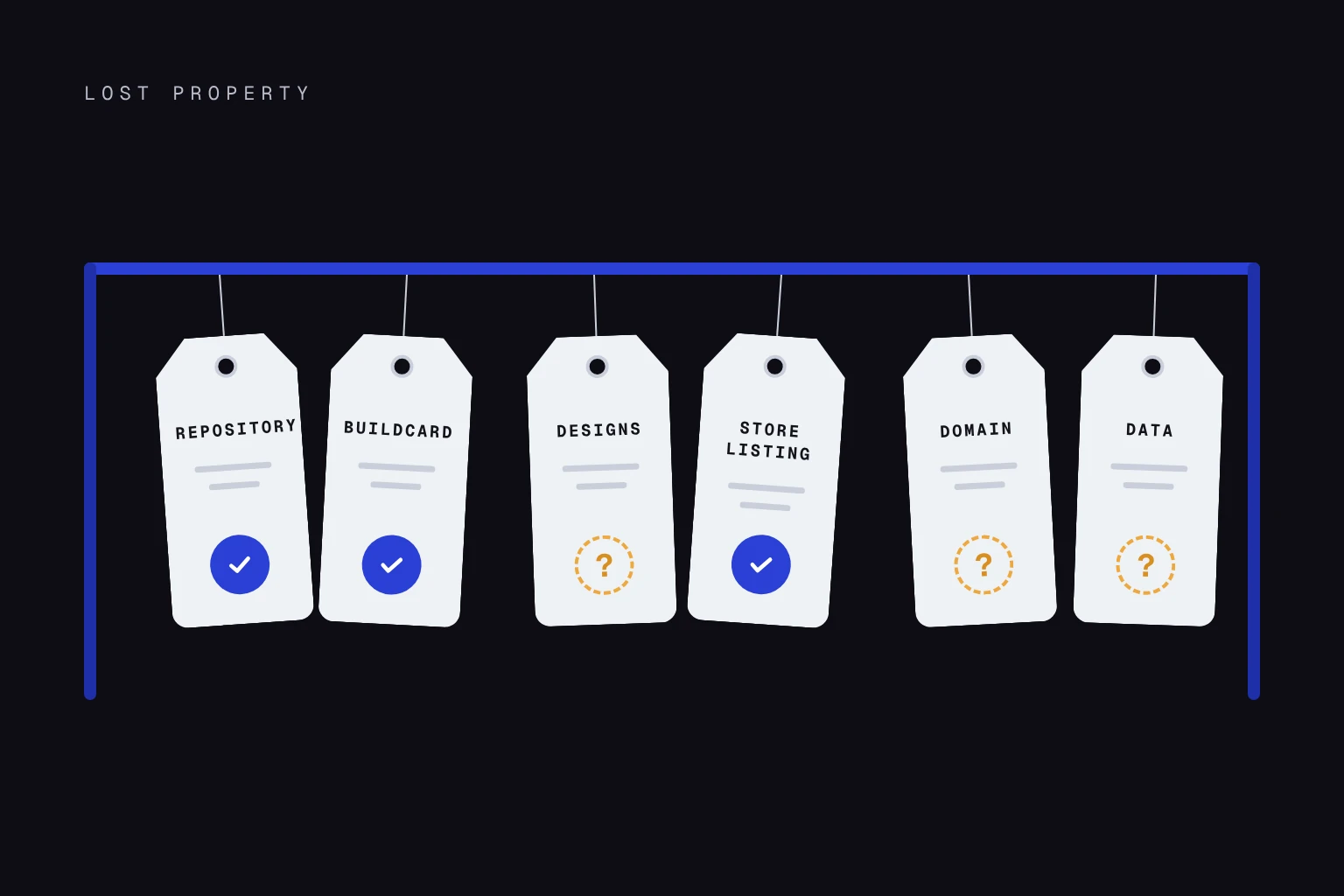
| What | Where to look | What it decides |
|---|---|---|
| Source code | An invite to a GitHub or similar repository, or a zip sent at a delivery milestone | Whether you can repair rather than rebuild |
| The Buildcard | Builder.ai emails, invoices and any PDF or screenshot you saved | The agreed feature list, the nearest thing to a spec |
| Designs | Figma or Sketch files shared with you, and any clickable prototype | The screens to rebuild without guessing |
| Store listings | App Store Connect and Google Play Console, signed in as yourself | Whether the next version can ship as an update |
| Domain | Your registrar account, or a WHOIS lookup on the address | Whether you can point it at new hosting |
| Data | Admin panel exports, your payment provider and your email provider | Which customers, payments and accounts carry over |
If the app still runs, record it now. Sign in as each type of user and screen-record every journey, from sign-up to payment to the admin pages. Export whatever the admin panel lets you download. When the hosting goes, those recordings are the only description of how the app behaved.
Do you own the code Builder.ai wrote?
Mostly, with a gap. Builder.ai's intellectual property FAQ for Studio said the customer keeps full ownership of the Foreground IP, the work made for their project. Background IP, the material Builder.ai already owned or licensed and reused across projects, stayed with Builder.ai. Its apps were assembled from a library of reusable features, so most codebases contain both.
The gap matters most if you plan to keep the code for years, sell the company or raise money, because buyers and investors ask who owns what. Have a solicitor read your contract alongside whatever the administrator says about Builder.ai's assets. Rewriting the reused parts as you upgrade them narrows the gap, and a rebuild closes it.
Whoever builds next, get the code assigned to you in writing and keep it in your company's GitHub from the first commit, with the store and hosting accounts in your name. What to put in writing about code ownership
Getting a Builder.ai app running again from the code
If you have the repository, try repairing before rebuilding. Builder.ai's engineering blog described its apps as React Native on the front end and Ruby on Rails on the back end, two stacks plenty of developers know. That makes a Builder.ai app a codebase to take over, not a proprietary model to decode.
Copy the repository, with its full history, into your company's GitHub organisation. An invite to a repository in Builder.ai's organisation can vanish along with it.
Get the Rails backend booting on a laptop. Rails keeps its secrets in an encrypted credentials file that opens only with a master key, and that key is kept out of the repository by default. If nobody has it, create fresh credentials and new keys for every service the app calls.
Search the code for Builder.ai hostnames, storage buckets and API keys belonging to Builder.ai's accounts rather than yours. Each one is a dependency that can disappear without warning.
Bring the mobile app up to date. Google Play requires updates to target a recent Android version and Apple requires builds from a recent Xcode, so an app last built in early 2025 needs React Native upgrades before either store accepts a new release. Builder.ai wrote about building tooling just to keep customer apps upgraded, which shows how quickly these codebases fall behind.
Write tests around sign-up, payments and anything else that touches money or customer data, then change it.
Judge the code on what you find. Half-built features and missing tests are normal in a codebase a squad left mid-sprint. A backend nobody can get running after a week of trying is the signal to rebuild instead, using the code as a reference for the business rules. Before customers return, run the checks in our production audit, from secrets to rollbacks. Run our production audit on the rescued app
Rebuilding when the code is gone
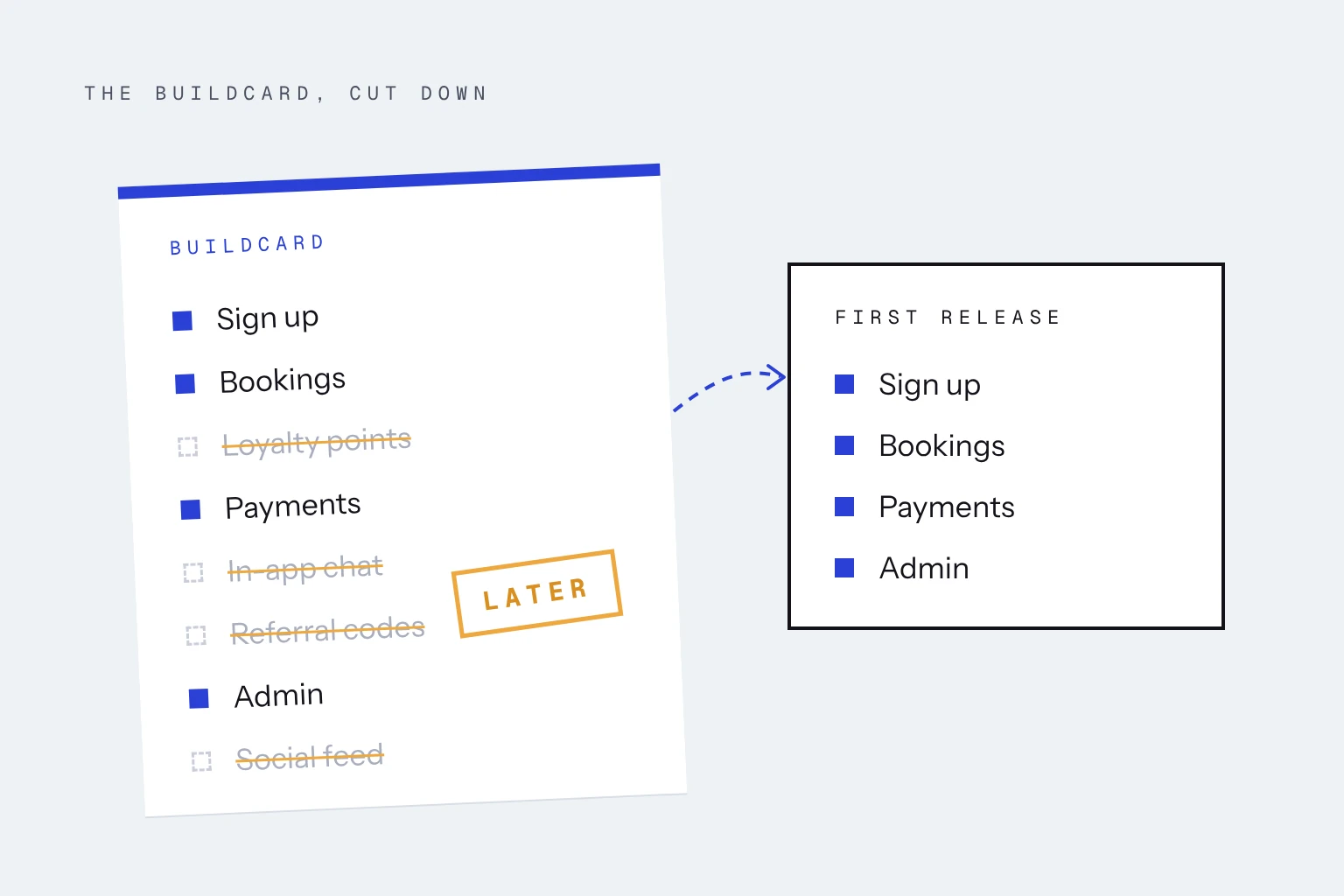
Rebuild from what users actually do, not from the Buildcard alone. The Buildcard lists every feature you paid for, priced one by one, and some were never finished or never used. The screens your customers rely on, and the data behind them, are the real spec.
Data is usually more recoverable than people expect, because much of it never lived only in Builder.ai's database. Your payment provider holds customers, subscriptions and payment history. Your email provider holds the user list. Analytics, if the app had it, shows which screens people opened. Rebuild accounts from those, and ask users to set a new password on first sign-in.
Then cut the list. Put each Buildcard feature into our free MVP Scope Planner, size it and split it into what the first release needs and what can wait. A feature nobody used before the collapse doesn't need rebuilding before relaunch. Cut the feature list with the MVP Scope Planner
Pick the platform again rather than copying the old one. If Builder.ai built you a mobile app but your users mostly book or pay at a desk, a web app is cheaper to build and change. Whether to build a web app or a mobile app first
Keeping the store listing and your users
Ship the rescued or rebuilt app as an update to the existing listing wherever you can, so users keep their reviews and get it without reinstalling. Builder.ai's app store checklist told customers to open their own Apple and Google developer accounts, so many listings are already in the customer's name. Sign in to App Store Connect and the Play Console to check.
iOS. The account holder can create new signing certificates, so any build with the original bundle identifier, signed from your Apple account, replaces the old version.
Android. With Play App Signing, Google signs the release and you sign each upload with an upload key. If that key left with Builder.ai's squad, the account owner can request a new one from the Play Console.
A listing in Builder.ai's account. Nobody there can transfer it, so publish a new listing from your own account and email existing users the link.
Our free App Launch Checklist builds the store, legal and analytics list for a relaunch from your answers about the app. Build your relaunch list with the App Launch Checklist
Repair or rebuild, by what survived
What you hold decides the route more than what you'd prefer. Find your row, then estimate from there.
| What survived | Usual route | Where the time goes |
|---|---|---|
| Code that boots | Repair, upgrade and rehost | Store requirements, upgrades and fresh keys |
| Code that won't boot or is half built | Rebuild, reading the old code for business rules | Working out which features were finished |
| No code, app still live | Rebuild from recordings and the Buildcard | Getting the data out while it still runs |
| No code, app offline | Rebuild from designs, the Buildcard and other services | Piecing accounts back together |
For a first figure before any developer opens the code, the free MVP Cost Calculator turns eight answers about the app into development weeks and pounds. Get a rough figure from the MVP Cost Calculator
We take on rescues and rebuilds like these, starting with a look at whatever you managed to keep. Our no-code and low-code migration service
Like Builder.ai, we quote a fixed price. Unlike Builder.ai, the code sits in your GitHub from the first day and every account is in your name, so a supplier's fate never decides your app's. See what a fixed-price sprint includes
Frequently asked questions
- Can we get money back from Builder.ai?
- Possibly a little. A customer owed money or unfinished work is an unsecured creditor, paid after the secured lenders, so recoveries in an insolvency like this are usually small. Register a claim with the administrator of the Builder.ai company you contracted with, and keep invoices, the Buildcard and correspondence as evidence.
- What happens to a domain Builder.ai registered for us?
- Look up who the registrant is. If the domain is in your name, the registrar can move control to you once you prove it. If Builder.ai registered it in its own name, it counts as the company's asset and the request goes to the administrator. Check the renewal date either way, because a domain that lapses can be bought by anyone.
- Should we use an AI app builder for the rebuild?
- It can work if the code lands in your own GitHub from the first day and the hosting and store accounts are in your name. Builders such as Lovable and Bolt write ordinary code you can take away. Tools that keep the app on their own platform bring back the risk Builder.ai customers have just lived through.